- Aadhar Service-ଆଧାର ସେବା
- ECI -Election Services
- e-district Odisha
- Sujog-Odisha
Aadhar Services – English and Odia
Check Aadhar status/update/verify mobile/email-update mobile-mail-address etc
REGISTER NOW TO ACCESS ALL SERVICES.BECOME A MEMBER NOW
JOIN US NOW-GROW WITH US START EARNING NOW
ECI – New Voter Registration-Corrections in Name/Address/Constituency/Family Member/Relegations/DOB

REGISTER
NOW TO ACCESS ALL SERVICES
-
Aadhar
-
Pan Agency
-
Voter Card
-
Odisha e-Districts
-
PM Welfare Schemes
-
State Welfare Schemes
-
Education/Job Portal
-
Software Reseller Agent
-
Payment Gateways
-
Brand Designing
-
Web Designing Service
-
GST/MSME/TRADE/FOOD Registrations
-
Product Promotions
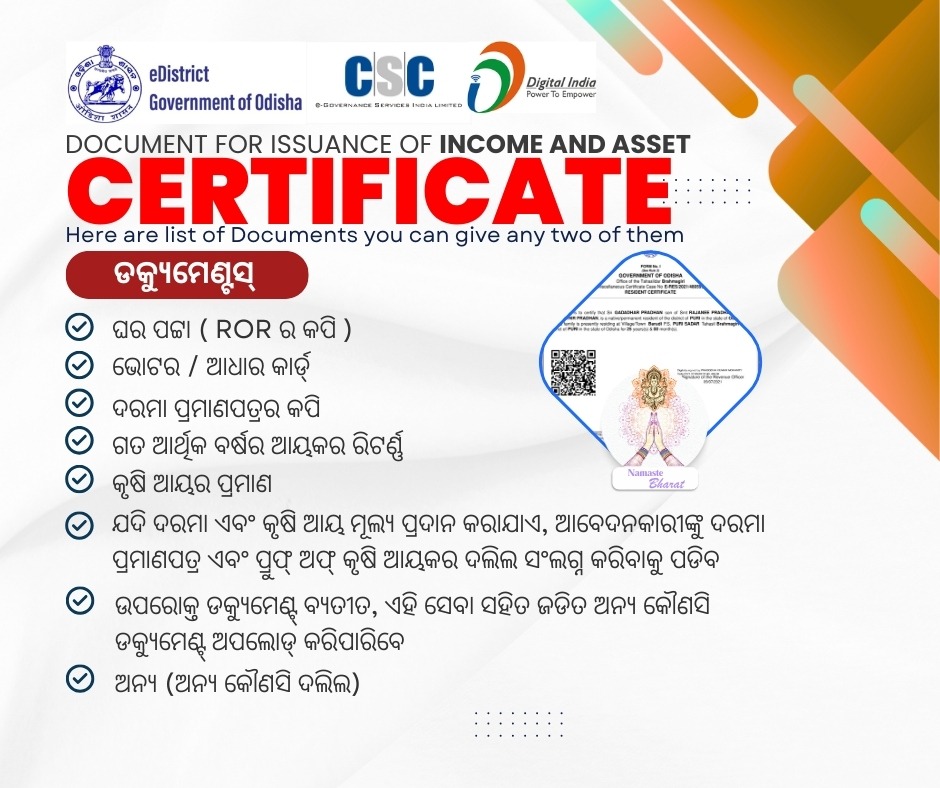
e-District Odisha – Apply for Income-Caste-Resident-Guardianship-Legal Heir Certificates in just One Click
Apply here now with our channel and get delivered in 7 working days.
Download Self Declaration form for Income and Caste Certificate ⬇️ଏଠାରେ ଘୋଷଣା ପତ୍ର ଫୋରମ ଡାଉନଲୋଡ କରନ୍ତୁ
Income
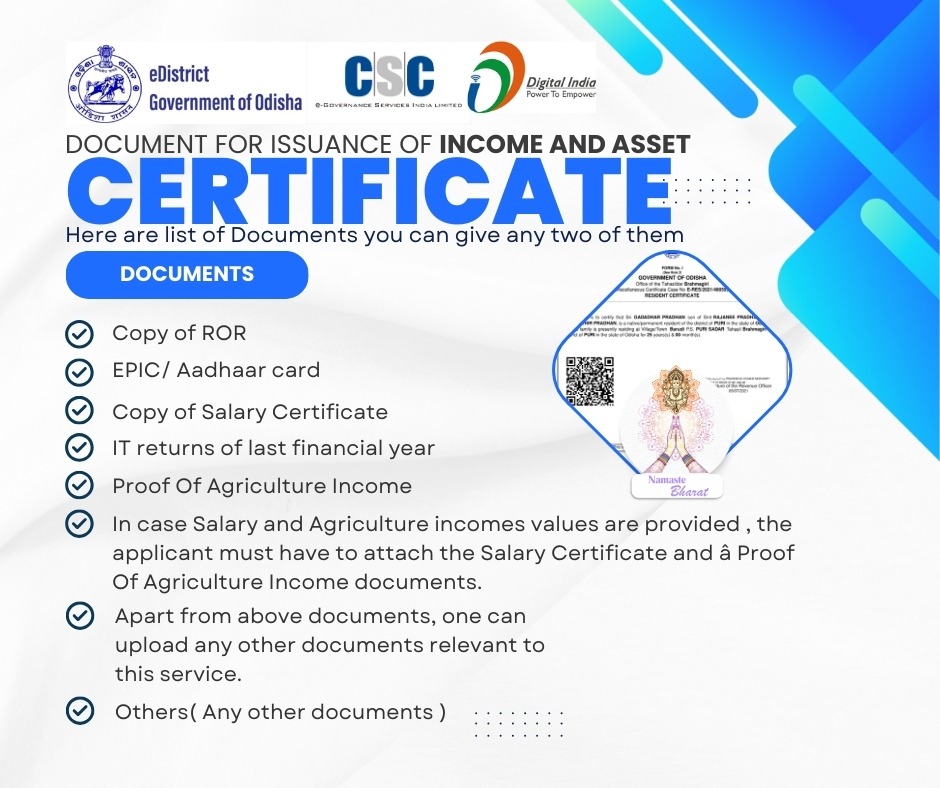
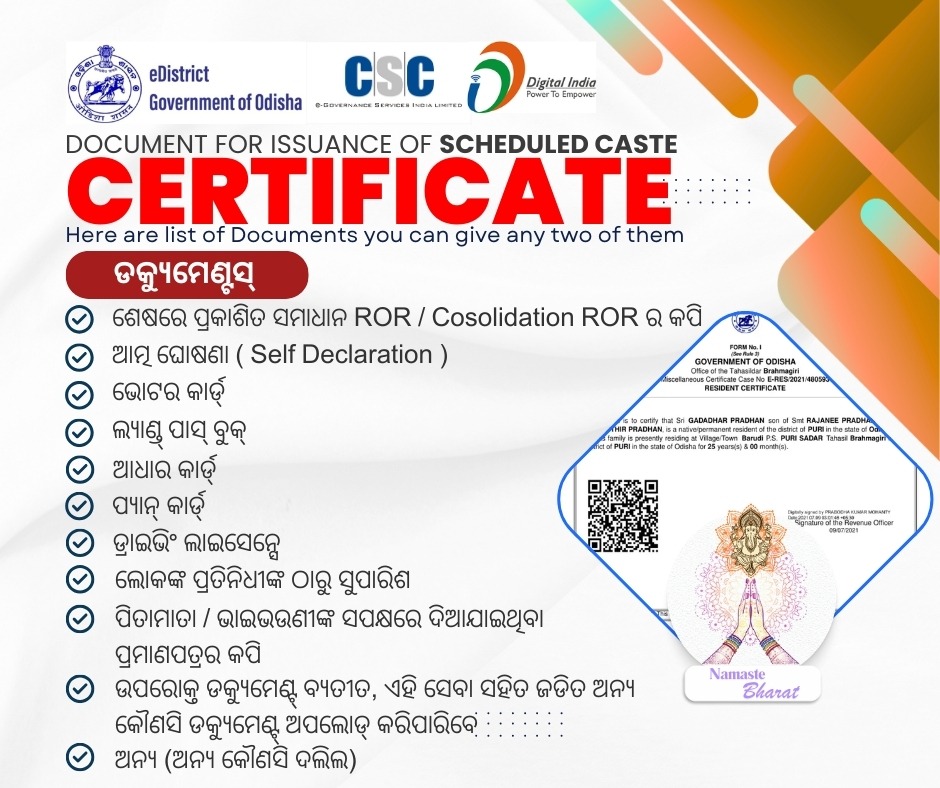
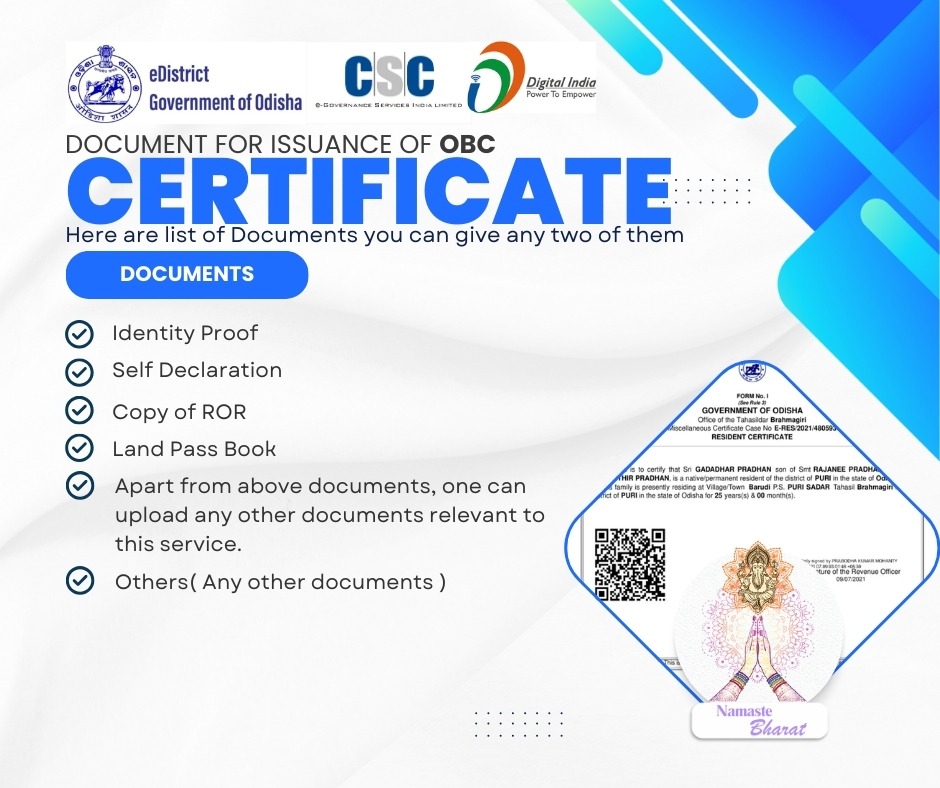
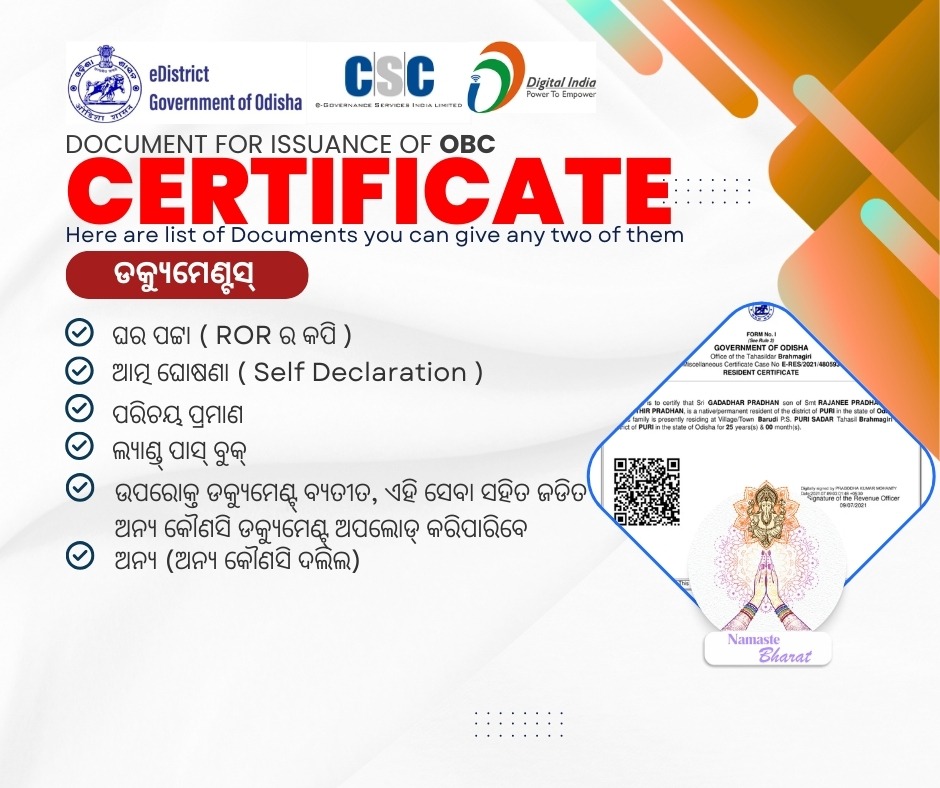
Caste
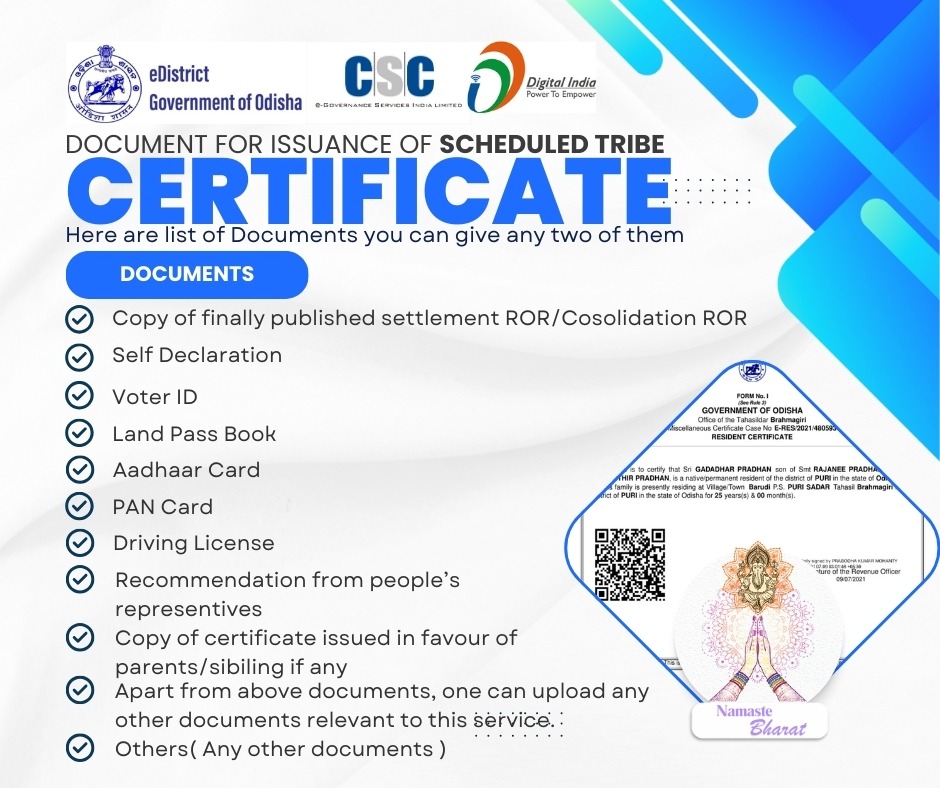
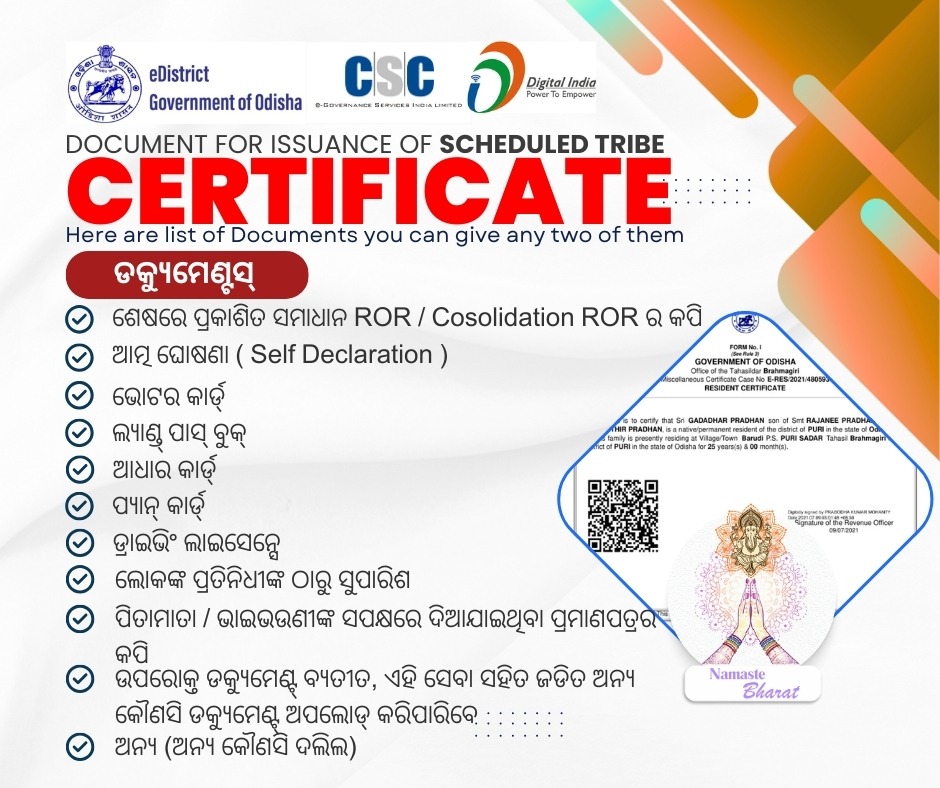
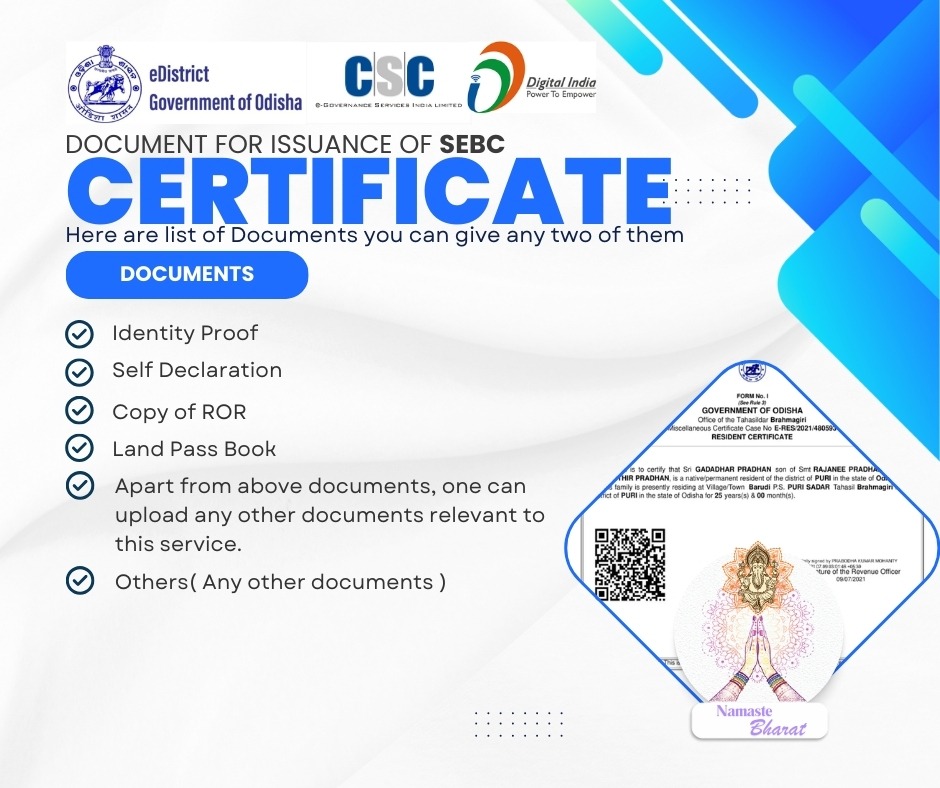
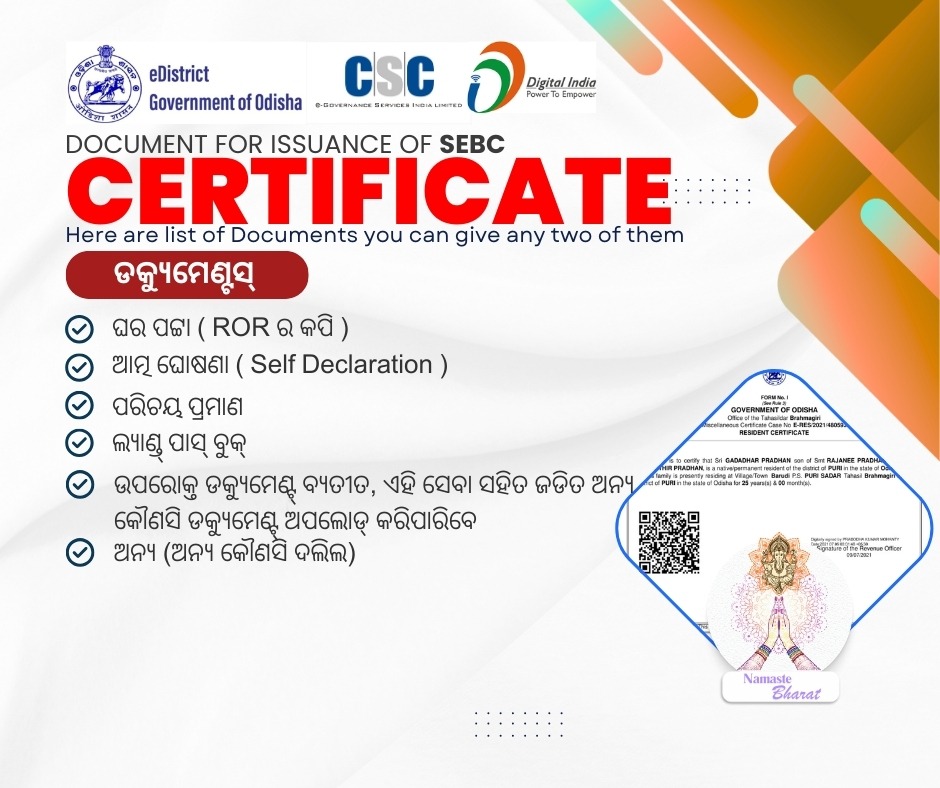
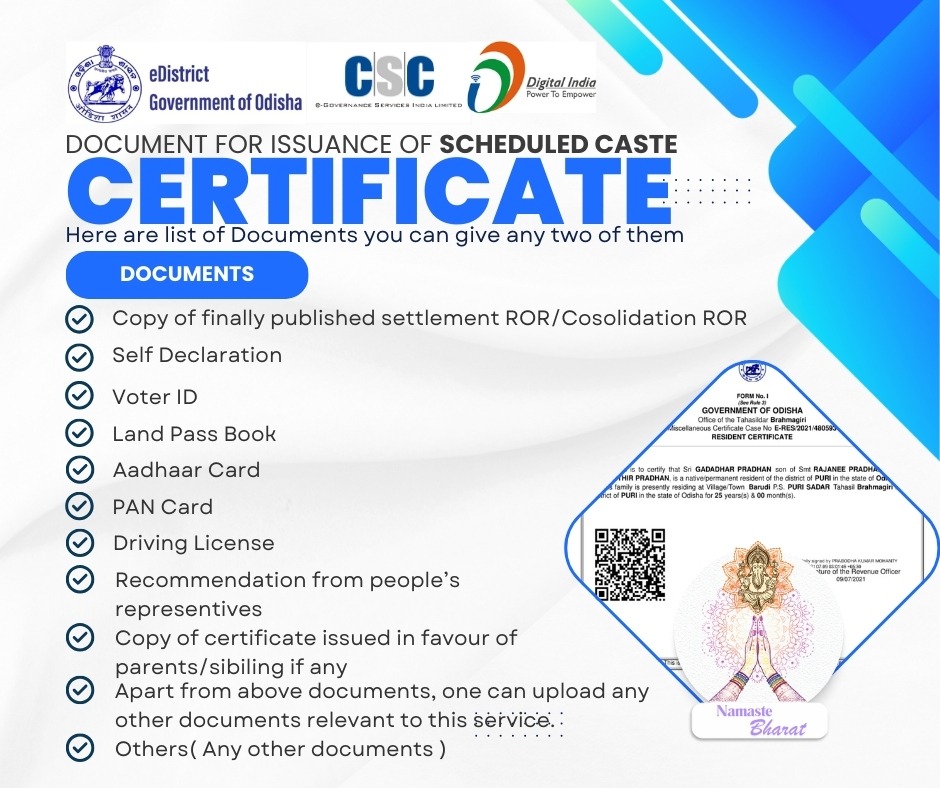
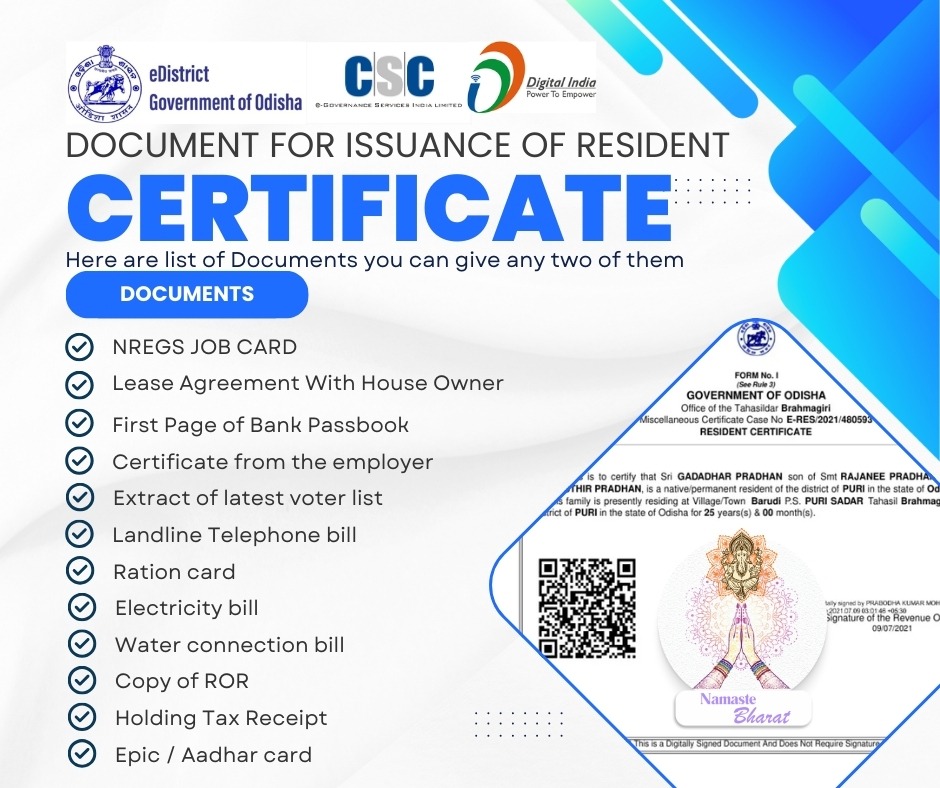
Resident
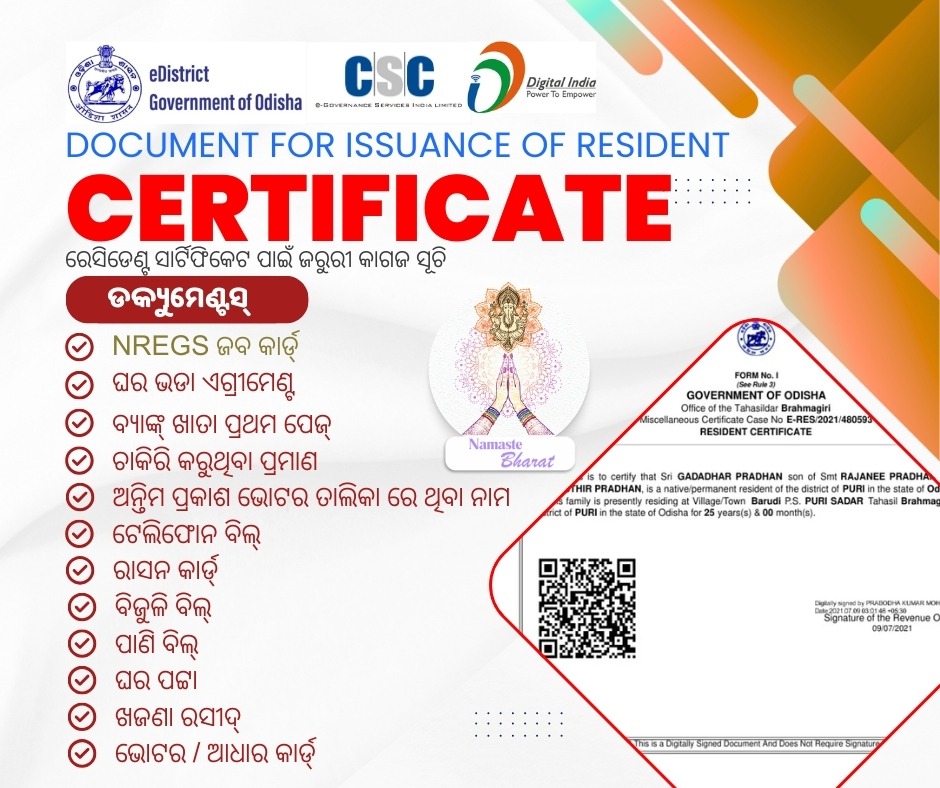
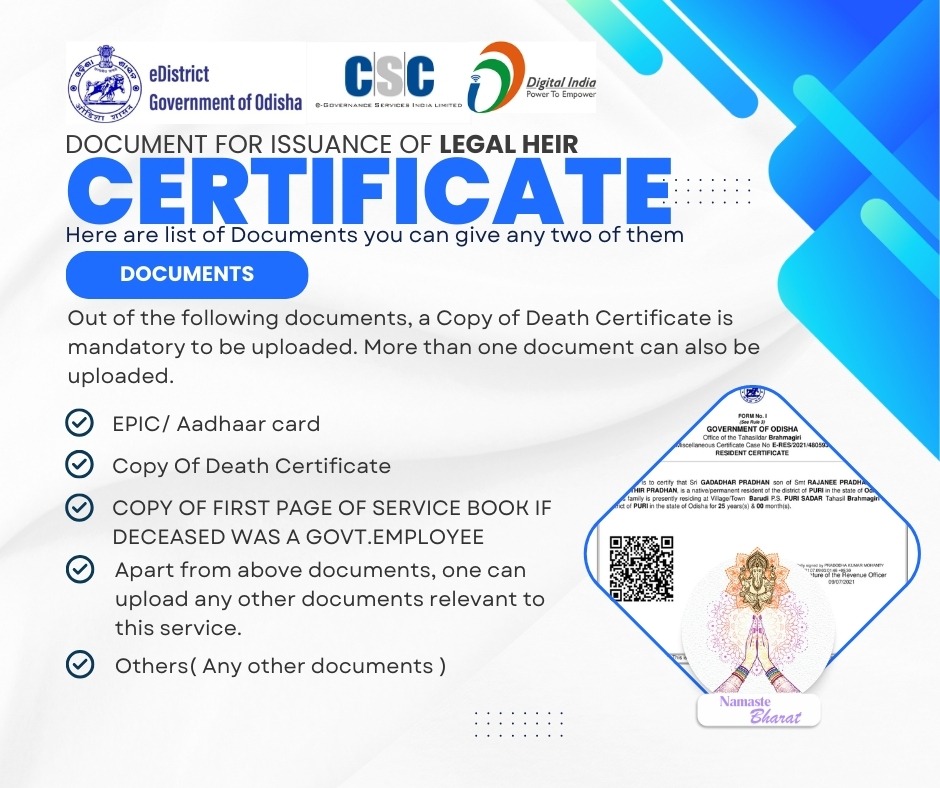
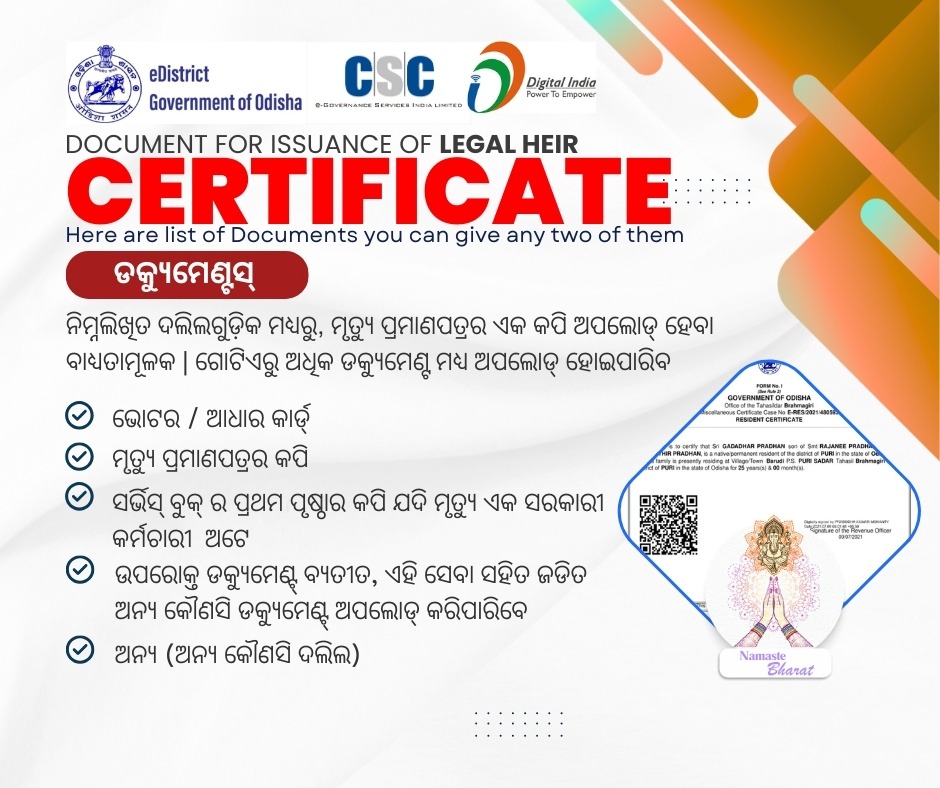
Legal Heir
REGISTER
NOW TO ACCESS ALL SERVICES
-
Aadhar
-
Pan Agency
-
Voter Card
-
Odisha e-Districts
-
PM Welfare Schemes
-
State Welfare Schemes
-
Education/Job Portal
-
Software Reseller Agent
-
Payment Gateways
-
Brand Designing
-
Web Designing Service
-
GST/MSME/TRADE/FOOD Registrations
-
Product Promotions

ଗୃହ ଏବଂ ନଗର ଉନ୍ନୟନ ବିଭାଗ, ଓଡ଼ିଶାର SUJOG (ସଷ୍ଟେନେବଲ୍ ଅର୍ବାନ୍ ସର୍ଭିସେସ୍ ଇନ୍ ଏ ଜିଫି) ରାଜ୍ୟର ସମସ୍ତ ସହରାଞ୍ଚଳ ସ୍ଥାନୀୟ ସଂସ୍ଥା (ULBs) ମଧ୍ୟରେ ସୁଗମ ଇ-ଗଭର୍ଣ୍ଣାନ୍ସକୁ ସକ୍ଷମ କରିବା ଲକ୍ଷ୍ୟ ରଖିଛି। ଉନ୍ନତ ICT ଉପକରଣ ଏବଂ ଏକ ରାଜ୍ୟସ୍ତରୀୟ ନାଗରିକ ସେବା କେନ୍ଦ୍ର (CSC) ନେଟୱାର୍କର ଉପଯୋଗ କରି, SUJOG ସ୍ୱଚ୍ଛ, ଦକ୍ଷ ଏବଂ ସୁଲଭ ସହରାଞ୍ଚଳ ସେବା ସୁନିଶ୍ଚିତ କରେ। ଏହି ପଦକ୍ଷେପର ଲକ୍ଷ୍ୟ ସେବା ବିତରଣ, ଦାୟିତ୍ୱବୋଧତା ଏବଂ ନାଗରିକ ଅଭିଜ୍ଞତାକୁ ବୃଦ୍ଧି କରିବା, ଯାହା ଓଡ଼ିଶାକୁ ଏକ ସ୍ମାର୍ଟ ଏବଂ ସ୍ଥାୟୀ ସହରାଞ୍ଚଳ ଭବିଷ୍ୟତ ଆଡ଼କୁ ନେଇଯିବ।
Housing & Urban Development Department, Odisha’s SUJOG (Sustainable Urban Services in a Jiffy) aims to enable seamless e-governance across all Urban Local Bodies (ULBs) in the State. By leveraging advanced ICT tools and a state wide Citizen Service Centre (CSC) network, SUJOG ensures transparent, efficient, and accessible urban services. This initiative aims to enhance service delivery, accountability, and citizen experience, driving Odisha towards a smart and sustainable urban future.
Services-All Districts-State Odisha

- Building Permission Approval
- Public Grievance Redressal
- Property Tax
- Water and Sewerage
- Trade License
- Marriage Registrations


Only for BMC SERVICES
BMC SERVICES
- RATION CARD
- PENSION SCHEMES
- CM KISSAN
- SUBHADRA

ନାଗରିକଙ୍କ ନିମନ୍ତେ ଅନଲାଇନ ସେବା – ONLINE SERVICES FOR CITIZENS
ନୂତନ ରାସନ କାର୍ଡ ପାଇଁ ଅନଲାଇନ ଆବେଦନ କରନ୍ତୁ – Apply Online for New Ration Card


State Pension Schemes – Odisha – CM Welfare Schemes
Old Age-Widow-Disable-unmarried Pension Schemes.

ସିଏମ୍ କିଷାନ ପୋର୍ଟାଲ ଉଭୟ ସିଏମ୍ କିଷାନ ଓ ପିଏମ୍ କିଷାନ ଯୋଜନା ନିୟମାବଳୀ ଅନୁଯାୟୀ ଯୋଗ୍ୟ କୃଷକମାନଙ୍କୁ ଅନ୍ତର୍ଭୁକ୍ତ କରିବା ନିମନ୍ତେ ଏକକ ମାଧ୍ୟମ | ଏହି ପୋର୍ଟାଲରେ ଗ୍ରାମାଞ୍ଚଳର କ୍ଷୁଦ୍ର, ନାମମାତ୍ର କୃଷକ ଓ ଭୂମିହୀନ କୃଷି ପରିବାର ସିଏମ୍ କିଷାନ ଯୋଜନାରେ ଅନ୍ତର୍ଭୁକ୍ତ ହେବା ନିମନ୍ତେ ଆବେଦନ କରିପାରିବେ | ସେହିପରି, ଏହି ପୋର୍ଟାଲରେ ଉଭୟ ଗ୍ରାମାଞ୍ଚଳ ଓ ସହରାଞ୍ଚଳର ସମସ୍ତ ବର୍ଗର ଯୋଗ୍ୟ ଚାଷଜମି ଥିବା କୃଷକ ପିଏମ୍ କିଷାନ ଯୋଜନାରେ ଅନ୍ତର୍ଭୁକ୍ତ ହେବା ନିମନ୍ତେ ଆବେଦନ କରିପାରିବେ |
CM KISAN portal of the State will serve as one-stop registration platform for all category of farmers to enroll themselves as beneficiary for both PM KISAN and CM KISAN schemes as per eligibility. This portal is meant for inclusion of Small and Marginal farmers and Landless Agricultural Households (LAH) of rural areas under CM KISAN Scheme. Medium and Large Farmers of both rural and urban areas shall also apply in CM KISAN portal for verification and consideration under PM KISAN scheme as per their eligibility.
Farmer Registration for PM KISAN & CM KISAN
To get the Financial assistance from Government of Odisha, for your cultivation like buying seeds, fertilizers, pesticides and use assistance towards labour and other investments required.
_____________________________________ REGISTER or LOGIN to ACCESS THIS SERVICE NOW.ପିଏମ୍ କିଷାନ ଓ ସିଏମ୍ କିଷାନ ନିମନ୍ତେ ଚାଷୀ ପଞ୍ଜିକରଣ
ଚାଷରେ ଉପଯୋଗ ନିମନ୍ତେ ଦରକାର ହେଉଥିବା ଚାଷ ସାମଗ୍ରୀ ଯଥା ବିହନ, ସାର, କୀଟନାଶକ କ୍ରୟ ତଥା ମୁଲ ମଜୁରୀ ପ୍ରଦାନ ପାଇଁ ସରକାରଙ୍କ ତରଫରୁ ଆର୍ଥିକ ସହାୟତା ପାଇବା ପାଇଁ ପଞ୍ଜିକରଣ କରନ୍ତୁ ।
_____________________________________ ଏହି ସେବା ପାଇଁ ଆମ ପୋର୍ଟାଲ ରେ ପଞ୍ଜୀକରଣ ଅଥବା ଲଗିନ କରନ୍ତୁ ।AlreadyRegistered
You can check your New Farmer Registration status, e-KYC status if you are already a registered farmer.
_____________________________________ REGISTER or LOGIN to ACCESS this SERVICEପୂର୍ବରୁ ପଞ୍ଜିକୃତ
ଯଦି ଆପଣ ପୂର୍ବରୁ ପଞ୍ଜିକୃତ କୃଷକ ଅଟନ୍ତି, ତେବେ ଆପଣ ଆପଣଙ୍କର ନୂତନ କୃଷକ ପଞ୍ଜିକରଣ ସ୍ଥିତି, ଇ- KYC ସ୍ଥିତି ଯାଞ୍ଚ କରିପାରିବେ |
_____________________________________ ଏହି ସେବା ପାଇଁ ଆମ ପୋର୍ଟାଲ ରେ ପଞ୍ଜୀକରଣ ଅଥବା ଲଗିନ କରନ୍ତୁ ।


Krushak Odisha – କୃଷକ ଓଡିଶା
Krushak Odisha is an authentic database of 49.5 lakh (till now) farmers including small, marginal, and landless cultivators and agricultural labourers. The information of all farmers in the database such as residential details, land details, crops cultivated, livestock reared, and fisheries practised has been verified by government extension workers.
କୃଷକ ଓଡ଼ିଶା ହେଉଛି ୪୯.୫ ଲକ୍ଷ (ଏବେ ପର୍ଯ୍ୟନ୍ତ) ଚାଷୀଙ୍କ ଏକ ପ୍ରାମାଣିକ ଡାଟାବେସ୍, ଯେଉଁଥିରେ କ୍ଷୁଦ୍ର, ନାମମାତ୍ର ଏବଂ ଭୂମିହୀନ ଚାଷୀ ଏବଂ କୃଷି ଶ୍ରମିକ ସାମିଲ ଅଛନ୍ତି। ଡାଟାବେସ୍ରେ ଥିବା ସମସ୍ତ ଚାଷୀଙ୍କ ସୂଚନା ଯେପରିକି ଆବାସିକ ବିବରଣୀ, ଜମି ବିବରଣୀ, ଚାଷ କରାଯାଇଥିବା ଫସଲ, ପଶୁପାଳନ ଏବଂ ମତ୍ସ୍ୟଜୀବୀମାନଙ୍କୁ ସରକାରୀ ସମ୍ପ୍ରସାରଣ କର୍ମଚାରୀଙ୍କ ଦ୍ୱାରା ଯାଞ୍ଚ କରାଯାଇଛି।
Aligning with the Government of Odisha the database will reduce the paperwork for the farmers and will make it easy for them to access schemes and services, and will enable proactive services like extension, and customised advisory. The vision of Krushak Odisha is to create a golden record of farmers in the state which would become the core of all the Government to Farmers’ Interaction in the state to enable multiple use cases
ଓଡ଼ିଶା ସରକାରଙ୍କ ସହିତ ସମନ୍ୱୟ ସ୍ଥାପନ କରିବା ଦ୍ୱାରା କୃଷକମାନଙ୍କ ପାଇଁ କାଗଜପତ୍ର କାମ ହ୍ରାସ ପାଇବ ଏବଂ ଯୋଜନା ଏବଂ ସେବା ପାଇବା ସହଜ ହେବ, ଏବଂ ସମ୍ପ୍ରସାରଣ ଏବଂ କଷ୍ଟୋମାଇଜ୍ଡ ପରାମର୍ଶ ଭଳି ସକ୍ରିୟ ସେବା ସକ୍ଷମ ହେବ। କୃଷକ ଓଡ଼ିଶାର ଦୃଷ୍ଟିକୋଣ ହେଉଛି ରାଜ୍ୟର କୃଷକମାନଙ୍କର ଏକ ସୁବର୍ଣ୍ଣ ରେକର୍ଡ ସୃଷ୍ଟି କରିବା ଯାହା ରାଜ୍ୟର ସମସ୍ତ ସରକାରଙ୍କ କୃଷକଙ୍କ ପାରସ୍ପରିକ କ୍ରିୟାର ମୂଳ ହେବ ଯାହା ବହୁବିଧ ବ୍ୟବହାର ମାମଲାକୁ ସକ୍ଷମ କରିବ।


BMC ଅଧୀନ ରେ ଓଡିଶା ଲେବର କାର୍ଡ – ସମସ୍ତ ଅଣ ସଂଗଠିତ ଶ୍ରମିକ ପାଇଁ କାର୍ଡ

ST&SC and MBC Welfare Department – Shahid Madho Singh Haath Kharcha Yojna – Last date to apply : 28 Feb, 2026
ST&SC and MBC Welfare DepartmentPre Matric Scholarship for class IX – X students
Last date to apply : 31 Jan, 2026
RTE – PARADARSHI
- Alert!! New Notification
- School Registration on the portal – 06th January 2026 to 8th February 2026
- Verification of schools by respective BEOs and DEOs.- 06th January 2026 to 9th February 2026
- 1st round student registration- 10th February 2026 to 10th March 2026
- Physical verification of applications by the BEO (1st round)- 10th February 2026 to 15th March 2026
- 1st round online lottery and school allotment-16th March 2026
- 1st round of student admission in school-17th March 2026 to 31st March 2026
- 2nd round student registration-4th April 2026 to 24th April 2026
- Physical verification of applications by the BEO (2nd round)-4th April 2026 to 27th April 2026
- 2nd round online lottery and school allotment- 28th April 2026
- 2nd round of student admission in schools-29th April 2026 to 18th May 2026
SAMS Odisha
Higher education school and mass education etc
Business Mandatory Services
FOR GST-MSME ( UDYOG AADHAR ) – FSSAI – TRADE License – PAID SERVICE
Vehicle & DL services
Information regarding Authentication Modes while availing any service on Vahan Citizen Portal
1.Authentication modes for availing any service on Vahan Portal is as per directions from respective state and accordingly authentication modes are enabled or disabled.
2.So while availing any service wherever Aadhaar biometric authentication is only available mode then applicant may visit the nearest CSC or attach a biometric device to the laptop/ desktop to get authenticated.
3.If applicant does Aadhaar Authentication with Aadhaar number of a person other than registered owner then his/her application will be rejected and fees shall not be refundable.
4.For Services in the Contactless (eKyc) Services, if you apply through aadhar authentication then you do not need to visit RTO office for verification of uploaded documents.
5.For Services not in the contactless (eKyc) Services list, after submitting application, depositing fee and uploading required documents as per Motor Vehicle Act/Rules and booking a slot on a required date, you have to compulsorily visit the RTO along with the vehicle( if required) for verification of documents/vehicle.
6.For further details, Click on User Manual icon on top right of Home Page.
Contactless (eKyc) Services with Verification and Approval at RTO Level (Applicant has to apply through aadhar authentication, submit the required fee and upload necessary documents and final approval will be subjected to the verification and approval at RTO office as per Motor Vehicle ACT/Rules)
| 1 | Change of Address in RC |
| 2 | Duplicate FC |
| 3 | Duplicate Permit |
| 4 | Fresh Permit |
| 5 | Hypothecation Addition |
| 6 | Hypothecation Termination |
| 7 | Issue of Duplicate RC |
| 8 | Issue of NOC |
| 9 | Permanent Surrender of Permit |
| 10 | Permit Surrender |
| 11 | RC Particulars Against Fee |
| 12 | Special Permit |
| 13 | Temporary Permit |
| 14 | Transfer of Ownership |
| 15 | Transfer of Permit |
Contactless (eKyc) Services with auto approval Facility(Application will be approved automatically subject to the applicant applying through aadhar authentication, submitting the required fee and upload necessary documents rightfully as per Motor Vehicle Act/Rules)
| 1 | Cancellation of Transfer to Dealer |
| 2 | Duplicate FC |
| 3 | Fresh Permit |
| 4 | Issue of Duplicate RC |
| 5 | Issue of NOC |
| 6 | Renewal of Permit |
| 7 | Special Permit |
| 8 | Transfer to Dealer |
Contactless (Mobile) Services with Verification and Approval at RTO Level (Applicant has to apply through mobile authentication, submit the required fee and upload necessary documents and final approval will be subjected to the verification and approval at RTO office as per Motor Vehicle ACT/Rules)
| 1 | Cancellation of Permit |
| 2 | Fresh Permit |
| 3 | Permanent Surrender of Permit |
| 4 | Permit Surrender |
| 5 | RC Particulars Against Fee |
| 6 | Renewal of Permit |
| 7 | Replacement of Vehicle |
| 8 | Special Permit |
| 9 | Transfer of Permit |
| 10 | Transfer of Permit (Death Case) |
Contactless (Mobile) Services with auto approval Facility(Application will be approved automatically subject to the applicant applying through mobile authentication, submitting the required fee and upload necessary documents rightfully as per Motor Vehicle Act/Rules)
| 1 | Cancellation of Transfer to Dealer |
| 2 | Fresh Permit |
| 3 | Non-Use Intimation |
| 4 | Renewal of Permit |
| 5 | Special Permit |
| 6 | Transfer to Dealer |
Non Contactless Services(For these services the applicant, after submitting application online / ARTO Office, depositing fee and submitting / uploading required documents as per as per Motor Vehicle Act/Rules and booking a slot (if required for a service), has to compulsorily visit the RTO along with the vehicle for verification of documents / vehicle) for ex. Fitness / Alteration related.
Complete your Driving Licence (DL) service easily with secure payment, expert assistance, and a smooth, hassle-free process.
- Apply for Learner Licence
- Apply for Driving Licence
- Apply for DL Renewal
- Apply for Duplicate DL
- Apply for Change of Address
- Apply for International Driving Permit (IDP)
- DL Extract
- Fee Payments
- Print Application Forms
- Mobile Number Update
- Service Withdraw
- DL Services (Replace of DL/Others)
- Add Class of Vehicles to an Application
- Appointments
- Tutorial for LL Test
- Complete your Pending Application
- Check Payment Status
- Upload Document
- Online LLTest(STALL)
- Find Doctor
All Vehicle related services from DL-RC-Permit to Renewal Ownership Transfer Registrations